
Hello Sitecore Community,
This is my first blog, so please be kind 🙂
Let’s talk about two specific fields in Sitecore – The Multilist and The Treelist! Both are great in their own ways, and if you consider the raw values, well, no difference at all.
So why did I mention, in my title, choosing the right field?
It’s something like, to cut an apple, you need a sharp knife while to apply butter you need a butter knife!
Let’s understand basic use of both the fields.
Understanding Treelist
Treelist, as the name suggests, functions by accommodating selected items from a specified source, typically set in the field’s properties. In the absence of a specified source, it presents the entire Sitecore tree for selection. The selected values are stored as pipe-separated IDs.

when no source provided to treelist field
Features and Customization Options of Treelist
- Datasource: This designates the root item for the path.
ex – “datasource={C921D50A-54F0-4CF6-A114-265706CA3B13}” - AllowMultipleSelection: Determines whether the same item can be selected multiple times, with the default setting being “no.”
ex – “allowmultipleselection=yes” - ExcludeTemplatesForSelection : Prevents selection of specific template items, specified as a comma-separated list.
ex – “excludetemplatesforselection=Template1,Template2” - ExcludeTemplatesForDisplay: Prevents display of specific template items, also specified as a comma-separated list.
ex – “excludetemplatesfordisplay=Template1,Template2” - ExcludeItemsForDisplay: Prevents display of specific items, specified as item name and ID pairs.
ex – “excludeitemsforselection=items1,{C921D5OA-54FO-4CF6-A114-265703CA4A23}” - IncludeItemsForDisplay: Allows specific items to be displayed, specified as item name and ID pairs.
ex – “includeitemsfordisplay=items1,{C921D5OA-54FO-4CF6-A114-265703CA4A23}” - IncludeTemplatesForDisplay: Specifies template items to be displayed.
ex – “includetemplatesfordisplay=Template1,Template2” - IncludeTemplatesForSelection: Specifies template items available for selection.
ex – “includetemplatesforselection=Template1,Template2” - DatabaseName: Allows referencing a different database name, useful for external data providers.
ex – databasename=web
We can pass all option by adding “&” separator . All these parameters are case-insensitive
After using all option Query String will be looking like this
datasource={C921D50A-54F0-4CF6-A114-265706CA3B13}&allowmultipleselection=yes&excludetemplatesforselection=Template1,Template2&excludetemplatesfordisplay=Template1,Template2&excludeitemsforselection=items1,{C921D5OA-54FO-4CF6-A114-265703CA4A23}&includetemplatesfordisplay=Template1,Template2&includetemplatesforselection=Template1,Template2&databasename=webExploring Multilist
The Multilist field type, on the other hand, enables editors to select one or multiple values from a single specified source. It stores the IDs of the selected items.
Key Distinctions
As Multilist supports only one data source, it restricts customization options to the query source. If no source is provided, the multilist remains blank.
Practical Usage
Considering the strengths of each field, Treelist is particularly useful when dealing with structured content, such as folder hierarchies. For instance, in a scenario where a parent item represents a slider with subfolders containing slides, Treelist allows for easy selection of slides from different folders within the structure. whereas multilist is useful in cases where we have single datasource for example we have list of states for specific country .
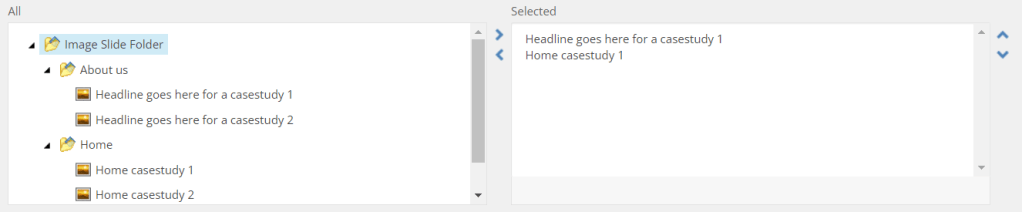
As you can see in this picture we have used treelist and selected 1 slide from about us folder and 1 from home folder . This will help content author to select from multiple option. This will access to all children of the designated data source and their subsequent descendants.
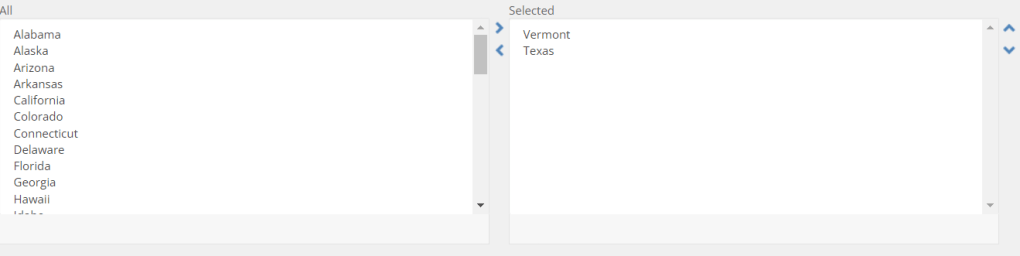
As you can see in this picture when we select multilist it will give direct children of that source . This will help in case like selecting state from a single datasource.
As we are moving towards headless we need to look that how this field is looking in layout service API.
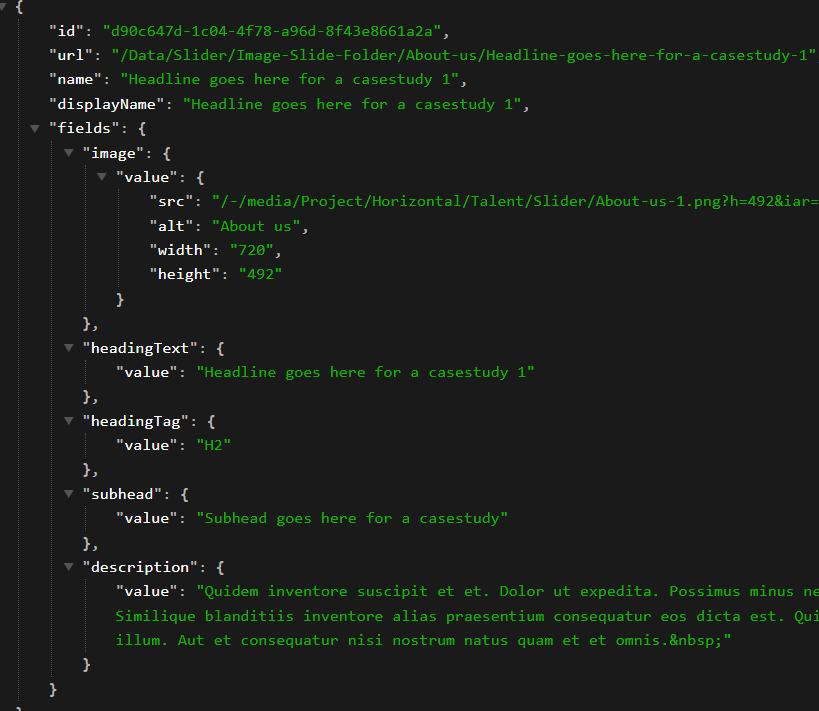
As you can see in this picture it will just not give you the name of that item but also resolve fields of that specific item which can be used front end application
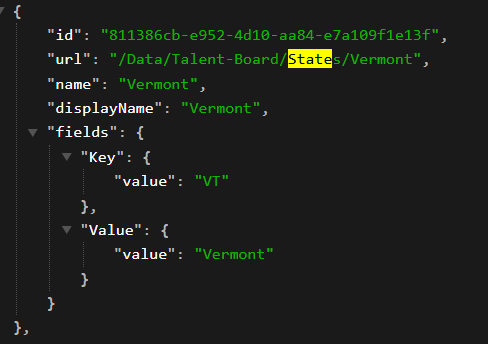
As you can see in this picture it will just not give you the name of that item but also resolve fields of that specific item which can be used front end application
Conclusion
In the realm of Sitecore content management, selecting the appropriate field type is crucial for efficient data handling. Treelist and Multilist offer distinct functionalities catering to different content organization needs. By understanding their features and best use cases, content authors can optimize their workflow and enhance the overall user experience.
Thank you for reading this blog , A feedback or suggestion is always apricated for this new joiner 🙂







 Tech Nerd
Leave a comment