
Hello Sitecore Community,
Developing a code is fun but believe me debugging a code is much more fun for a developer .
Debugging in sitecore is much similar to how you debug in your C#/.net code.
Let’s start with basic XP/XM structure where you just code in your visual studio and publish specific project .

While publishing make sure configuration should be selected as “Debug” else it will not create pdb file and you will not able to debug
As we have published our DLL and pdb file is on our site.
Let’s attach our site to project to debug
Go to “Debug” ==> “Attach to process”.
This will open a pop-up with details of website currently running your system
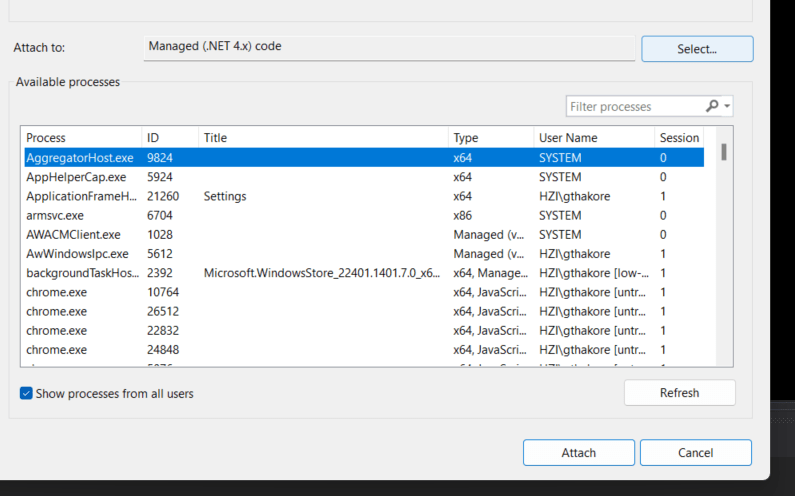
Make sure “show process from all users” should be checked
Now search “w3wp.exe” in filter process it will give you your website where you have deployed your DLL files .
Once you attach you put debugger point where you want to debug and once you hit your site it will stop on that debugger point and you can debug .
This was about normal sitecore hosted in your local setup .
As we are moving towards headless technology we are moving towards containers where we can host our sitecore and run through Docker Dekstop .
Let’s see how we can view containers in visual studio . Go to “View” =>”Other Windows” => “Containers” .
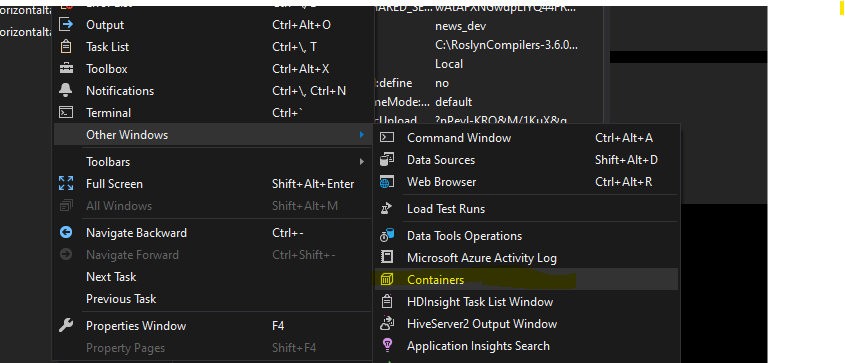
Once you can view containers section you can right click on your cm/cd container where you want to attach your debug point .
After clicking on “Attach to Process” a pop up will open to attach process
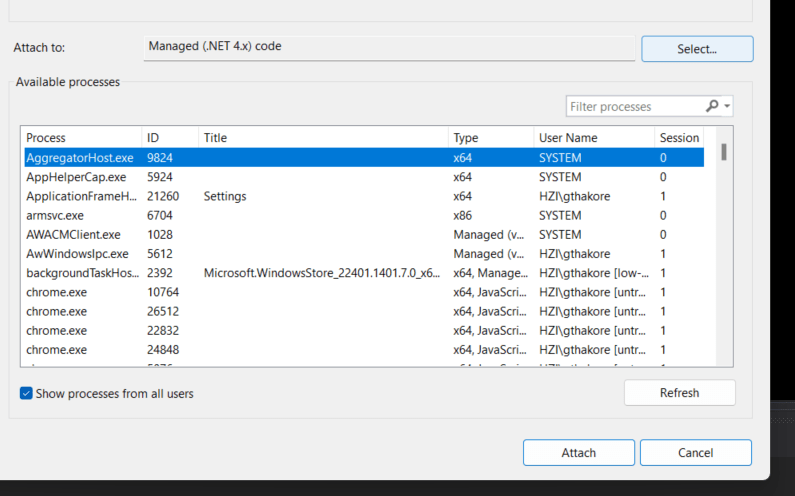
Make sure “show process from all users” should be checked
In “Connection target ” you can see name of your container and in “Connection type” it should be docker selected
In “Attach to” automatically option will be selected which will not work in container case . So we need to change it to managed (.net 4.x)
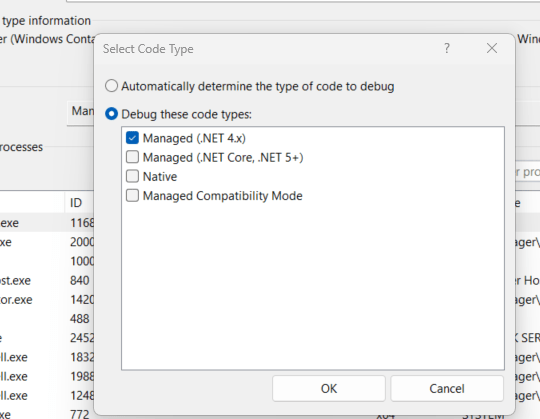
By clicking ok you can search “w3wp.exe” and attach your website and start debugging .
Conclusion
Remember, effective debugging isn’t just about fixing errors; it’s about understanding your codebase and Sitecore environment better. By leveraging Visual Studio’s debugging capabilities alongside Sitecore’s extensive documentation and community support, you’ll be well-equipped to navigate even the most complex debugging scenarios.
As you continue your Sitecore development journey, don’t hesitate to experiment with different debugging approaches and stay curious about new debugging features and best practices. With persistence and a proactive mindset, you’ll sharpen your debugging skills and elevate the quality of your Sitecore projects.
Thank you for joining us on this exploration of debugging in Sitecore within Visual Studio. Keep coding, keep debugging, and keep pushing the boundaries of what’s possible with Sitecore development!





 Tech Nerd
Leave a comment