
Hello Sitecore Community,
Template and fields are important part of Sitecore Content Management System (CMS). Validation on field helps developer to maintain data within CMS .
Sitecore Provides some ways to validated Fields Data with different kinds of fields .
Let’s Look into deep how to apply validation on Fields
These validations are applied on template mainly so that it will be applied on every item which created by that template
There are mainly 2 ways we apply validation to fields
Validation Rules
Every Field has validation rules section where you can select validation rule from validation section . There are some rules which are predefined by Sitecore and you can add customize rule as well .
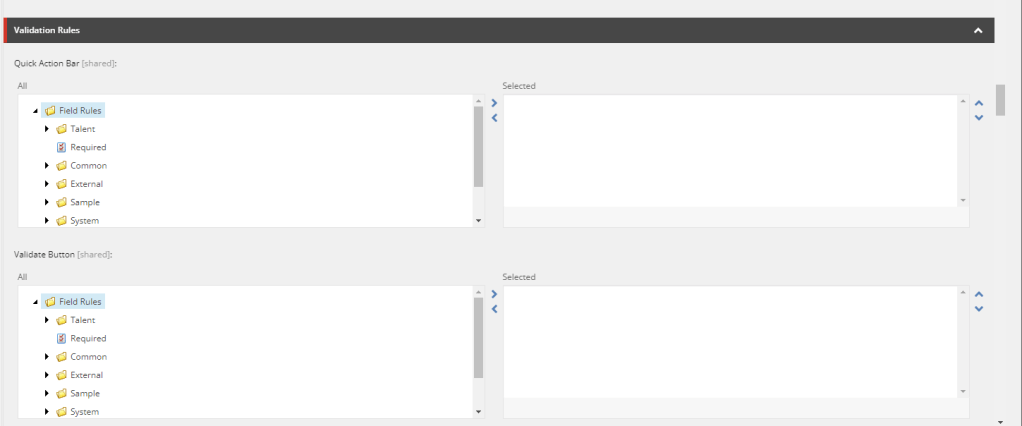
Let’s look into predefined validation rules provided by Sitecore . Go to “System=>Setting => Validation Rule “
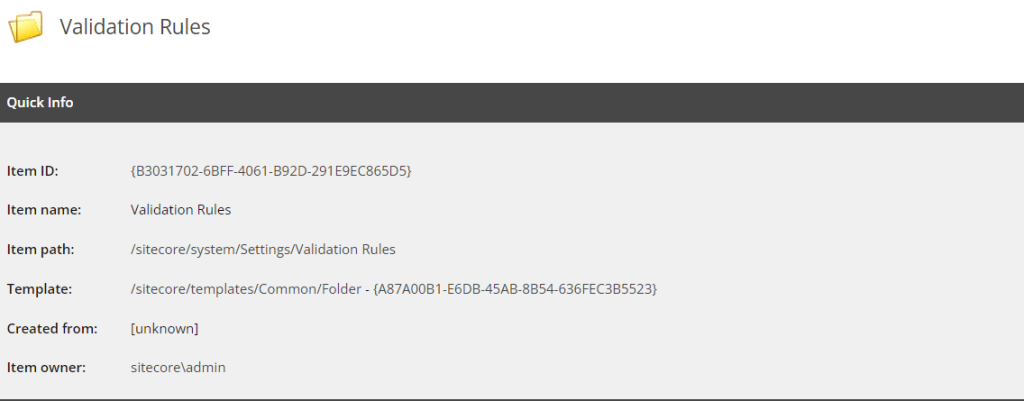
Let’s Dig in to how these rules work and how we can create new or modify
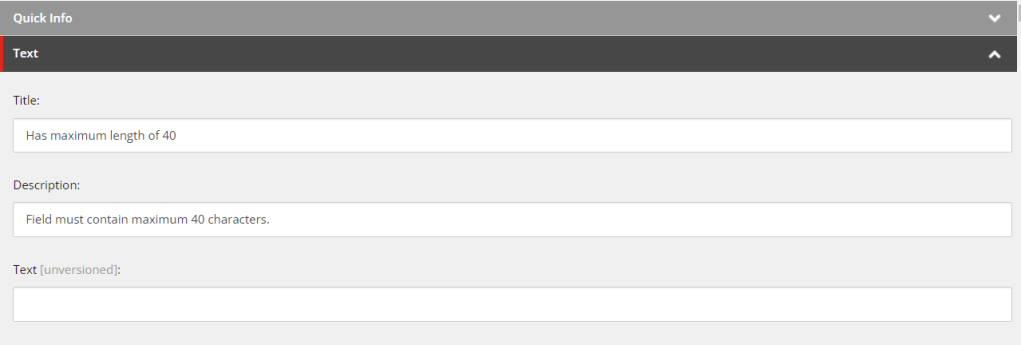
- Title : Enter a descriptive title that clearly explains what the rule checks for or validates. For example, you might use a title like “Required Field Check” or “Maximum Length Validation”
- Description : Enter a meaningful description that explains the purpose of the validation rule and any specific requirements or constraints. Use this description to communicate to content editors what the validation rule checks for and how they should comply with it.
- Text : Enter the text that should be displayed as an error message when the validation rule is violated. Make sure the error message is clear and informative, explaining why the validation failed and what action needs to be taken.
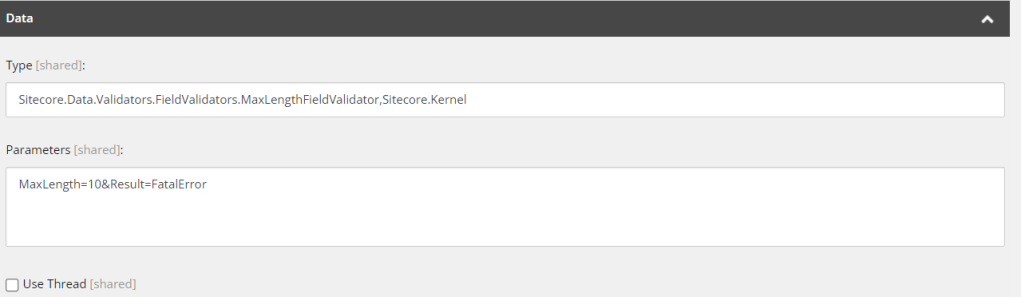
- Type : Enter class and its namespace from you want to validate fields .
- Parameters : Enter parameters which you want to pass custom class , query string in the parameter field of validator needs to be [parameter]=[value]&[parameter]=[value]
There are some predefined Parameters which is provided by Sitecore :
- “MaxLength” : Specifies the maximum character allowed value for single line text fields.
- “MinLength” : Specifies the minimum character allowed value for single line text fields.
- “Pattern” : If you want to check any specific Regex then you can set that regex here
- “Text” : If you want to Show any specific Error you set that here
- “Result” : The “Result” parameter typically controls what happens when the validation rule is evaluated. It can have the following common values:
- Valid = Green, everything is fine
- Suggestion = Bright Orange, hmm, take a look at this
- Warning = Orange, you should do something about this
- Error = Red, this is an error you know
- CriticalError = Red, user is warned before saving
- FatalError = Red, user cannot save item before validator is cleared
For More predefined Validation Rule , Read Here
As we have seen what are validation rule ,lets check how they work .
These Validation Rules are applied on Data templates to specific Fields where you want apply these rules
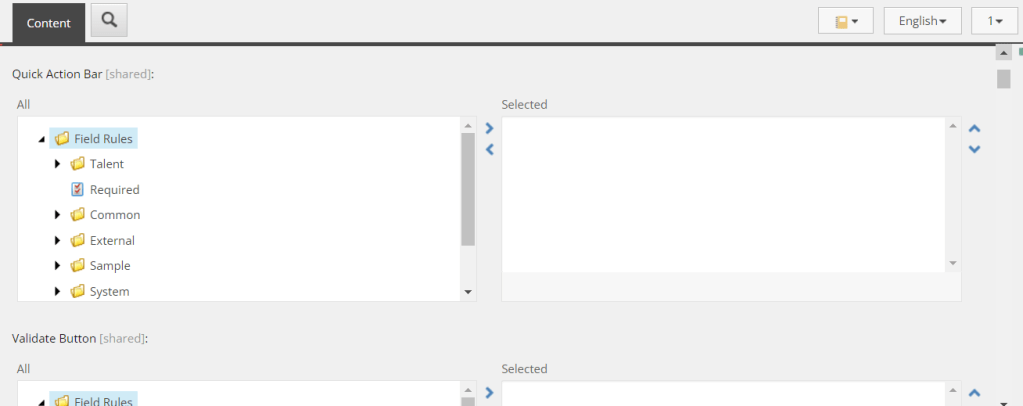
In validation Rule there four option let’s look into them :
- Quick Action Bar : Applies validation to the left of the field
- Validate Button: Validation results are displayed when Validation button on the Review tab is clicked
- Validation Bar : Applies validation to the bar at the right of the fields
- Workflow: Applies validation when workflow is running.
In this section you can select validation rule according to your requirement
Validation
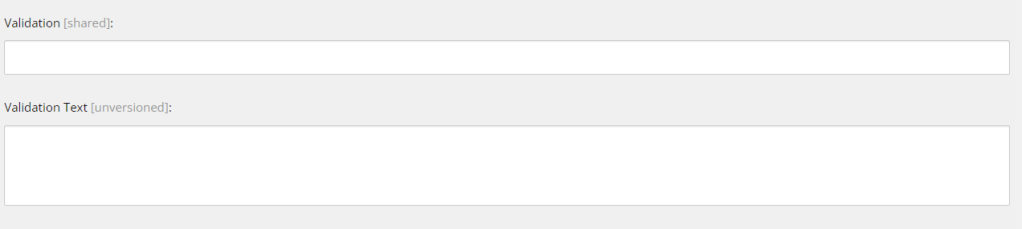
Every field have option for validation and validation text where you can pass pattern for specific field you want to check .
For ex you want to select maximum 3 item and minimum 2 item , that you can achieve from here
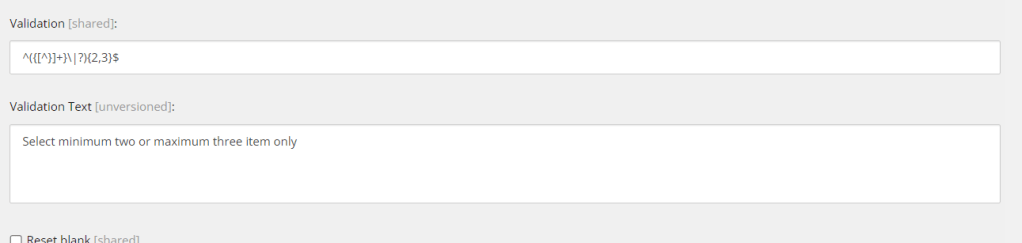
As you can see we have applied regex where we are defining min 2 item and max 3 item , In validation text we have added error message we want to show if regex doesn’t match.
Now as we have seen both type to validate a field or item we need to find difference them or in other words when to use which validation so let’s look into that.
Key Differences:
- Conceptual Scope: Validation is the overarching process of ensuring data quality and enforcing standards, while validation rules are specific conditions or criteria within this process.
- Granularity: Validation can encompass multiple rules applied to different aspects of content or data, while each validation rule focuses on a single criterion.
- Implementation Detail: Validation rules are the building blocks of the validation process, defining the specific checks and conditions that content must pass.
In summary, validation in Sitecore is the broader concept of maintaining data quality and enforcing standards, while validation rules are the individual criteria or conditions that are defined and applied to achieve this goal. Together, they form an essential part of content governance and quality control within the Sitecore content management system.
Happy coding 😊
References :
https://briancaos.wordpress.com/2011/05/09/using-sitecore-field-validators/
https://www.getfishtank.com/blog/what-is-sitecore-field-validation






 Tech Nerd
Leave a comment